CalAround

Your work calendar, without the work computer.

Your employer locks down the laptop and blocks the sync. So take a photo of Outlook instead. CalAround reads the meetings off it, shows you exactly what it proposes to change, and writes nothing until you agree.

TestFlight beta opening soon — the join link lands here first.

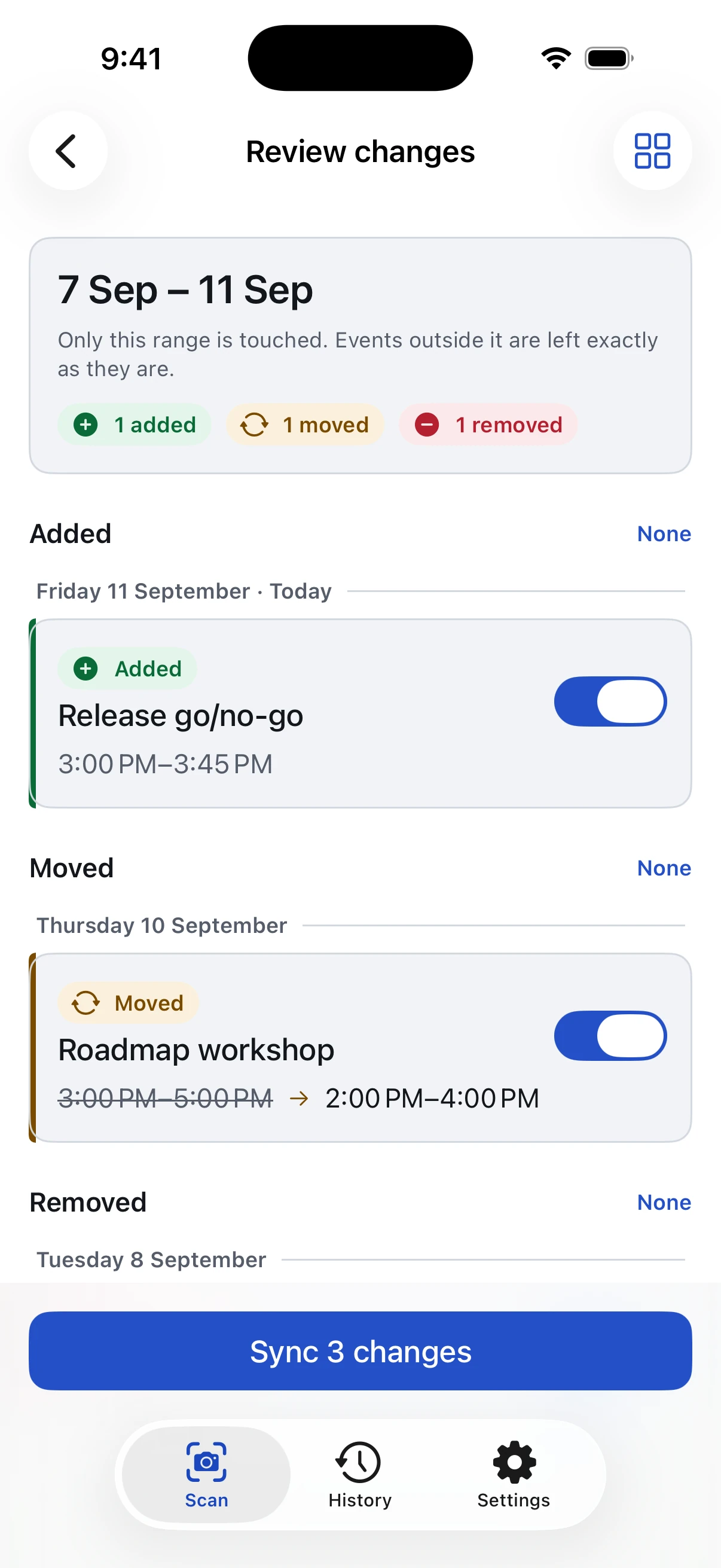
CalAround's change review for 7–11 September, showing 1 added, 1 moved, and 1 removed: Release go/no-go added on Friday, and Roadmap workshop moved from 3:00–5:00 PM to 2:00–4:00 PM on Thursday.

You read the diff. Then it writes.

A photo of a calendar is a guess, and a guess should never touch your calendar unsupervised. So CalAround does what a good tool does with an uncertain input: it shows its work and waits.

Change review

Every change is a row you can refuse

Added, moved, removed — each one toggleable, each one tappable to correct. A meeting that moved shows before → after rather than vanishing and reappearing, so you can see it's the same meeting at a new time.

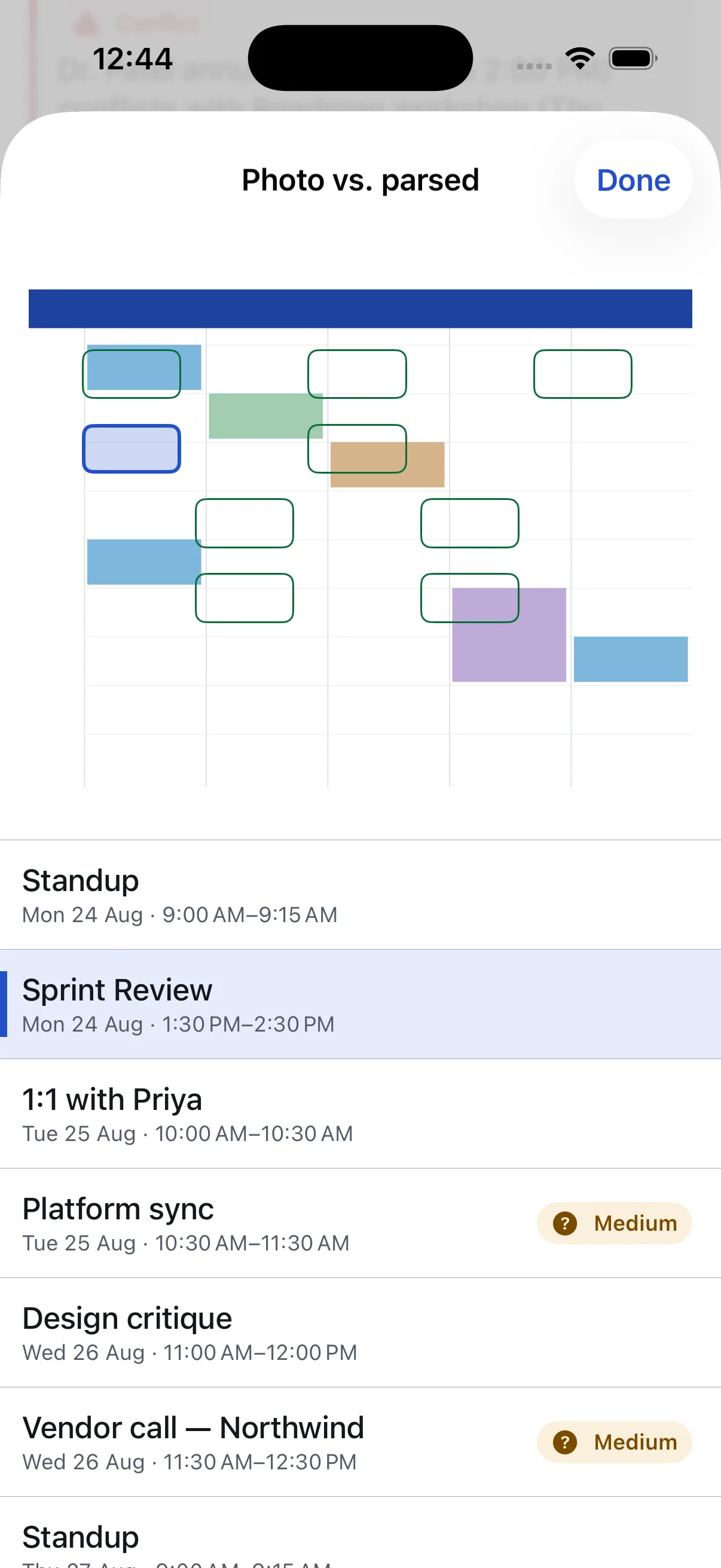
The photo is one tap away, so a doubtful read can be checked against the source. Nothing reaches your calendar until you tap Sync.

  • A meeting already on the calendar is recognised, not offered again
  • Tap any row to fix a misread time or title before it lands
  • Every sync is recorded, and every sync can be undone
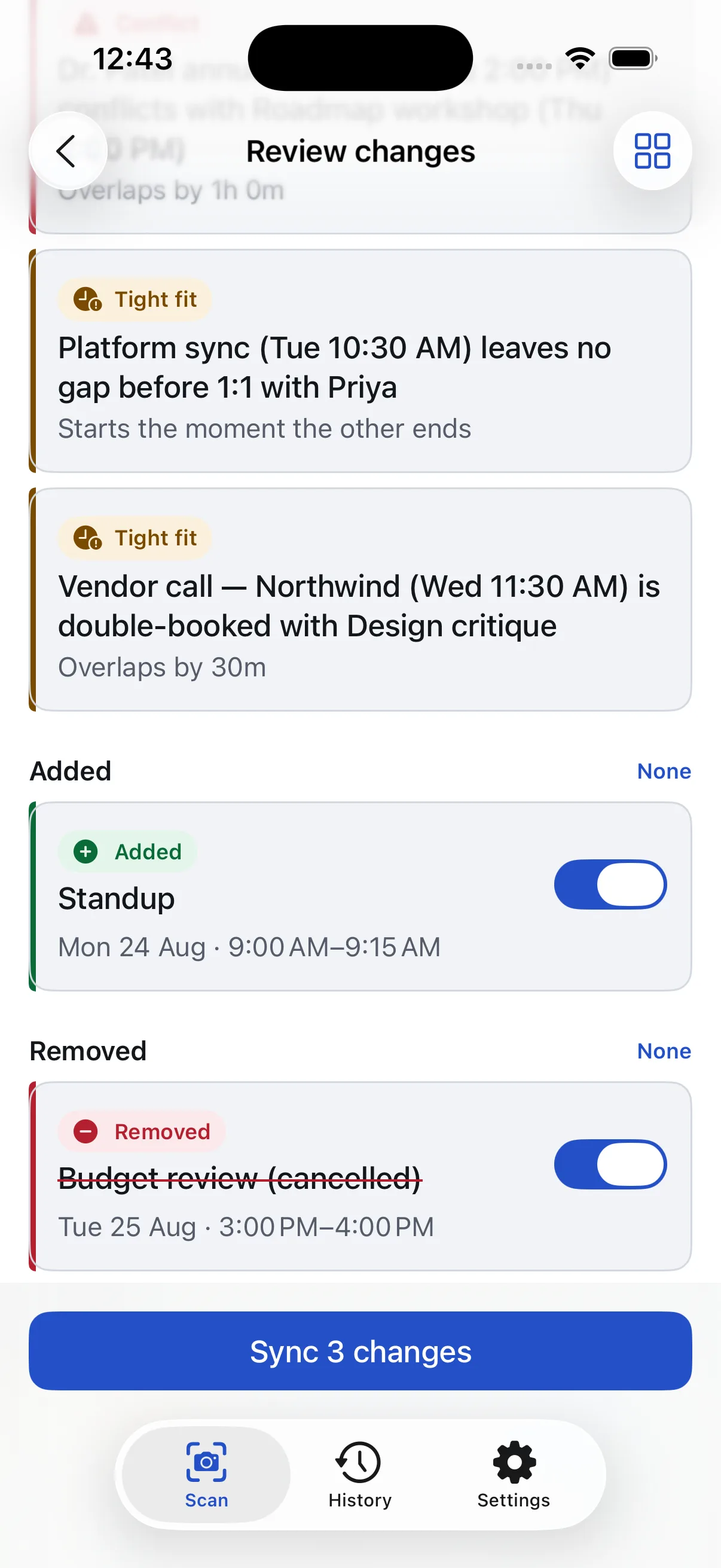
The review list with one row in each section, each with its own toggle: Release go/no-go added on Friday, Roadmap workshop moved from 3:00–5:00 PM to 2:00–4:00 PM on Thursday, and Budget review struck through as removed on Tuesday.

Four steps, and a way back from all of them

Read this as a diff, because that's what the app is. Each step below is one change to the state of your calendar — and the last one undoes the rest.

Photograph the week

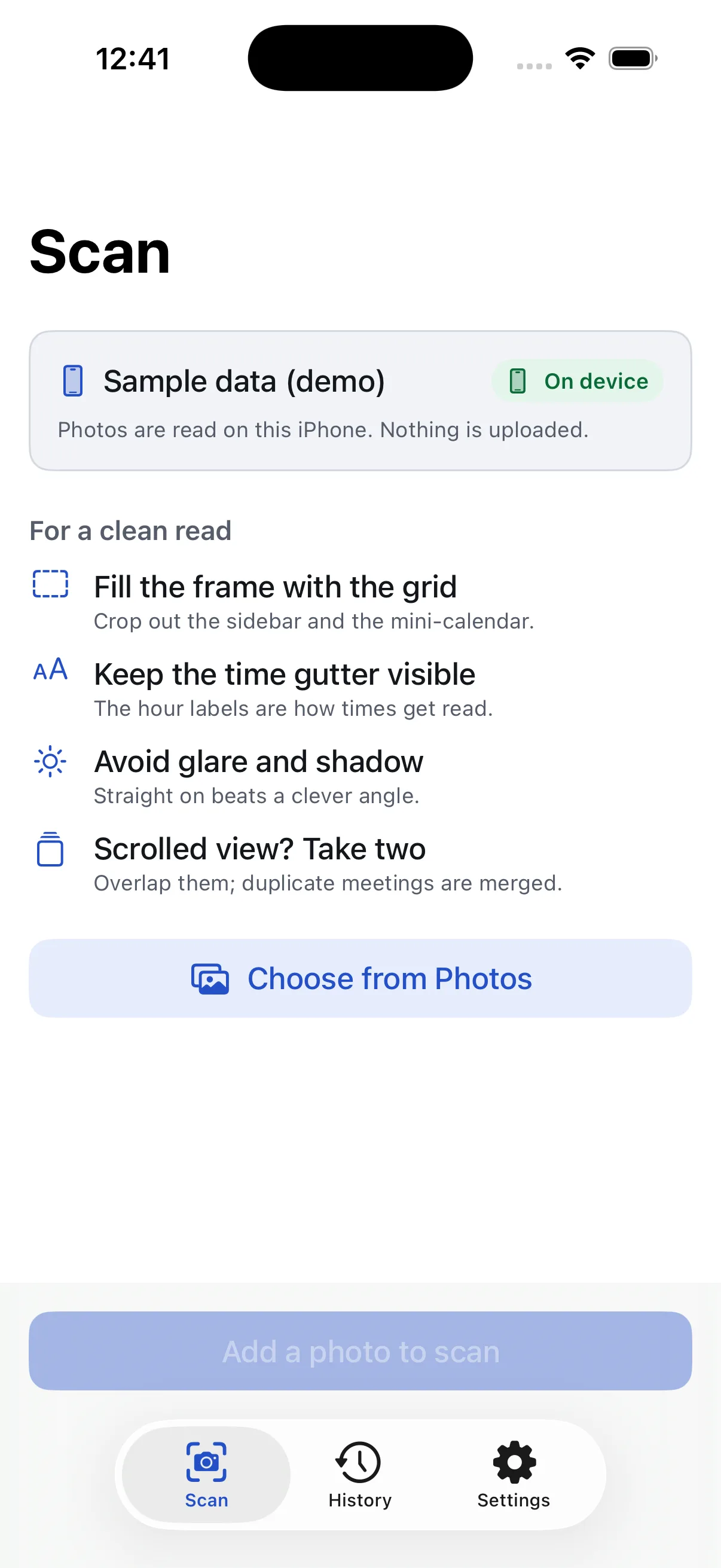
Camera or Photos, one shot or several for a scrolled view. Overlapping captures are merged rather than duplicated. Your calendar is untouched at this point — nothing has happened yet.

It reads the grid

Titles, start and end times, all-day banners, and the side-by-side columns Outlook uses for double-bookings. It also reports the date range it could actually see — which becomes the boundary for everything that follows.

You approve the changes

Compared against what's already on the calendar you chose, inside that boundary only: what's new is added, what was rescheduled is moved, what's gone is removed. Toggle off anything you don't want. See the review screen.

And you can take it all back

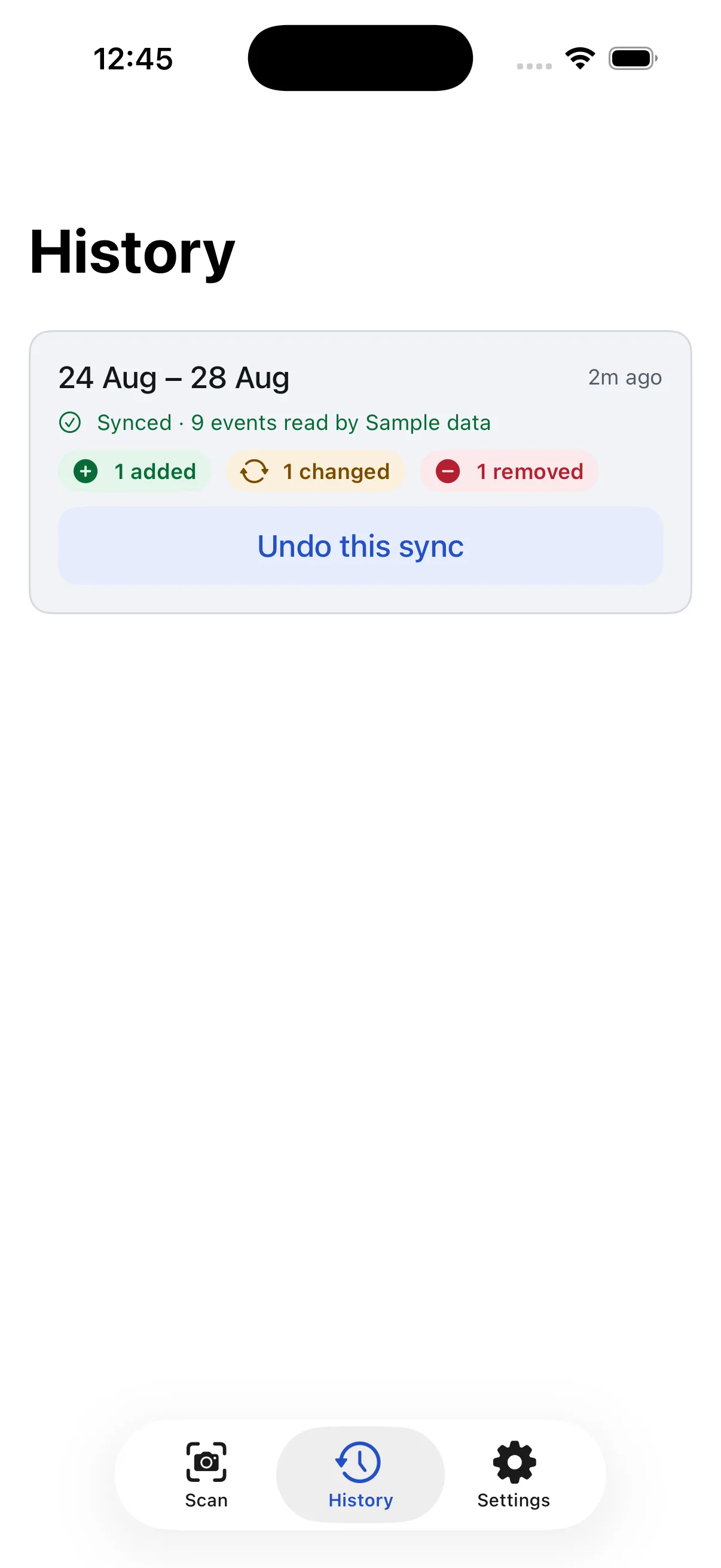
Every sync is recorded with its inverse. Undo this sync removes what it added, moves back what it moved, and re-creates what it removed — even days later, on a different launch.

The limits are the feature

An app that writes to your calendar should be boring and predictable about it. These aren't settings — they're guarantees, enforced in code and covered by tests.

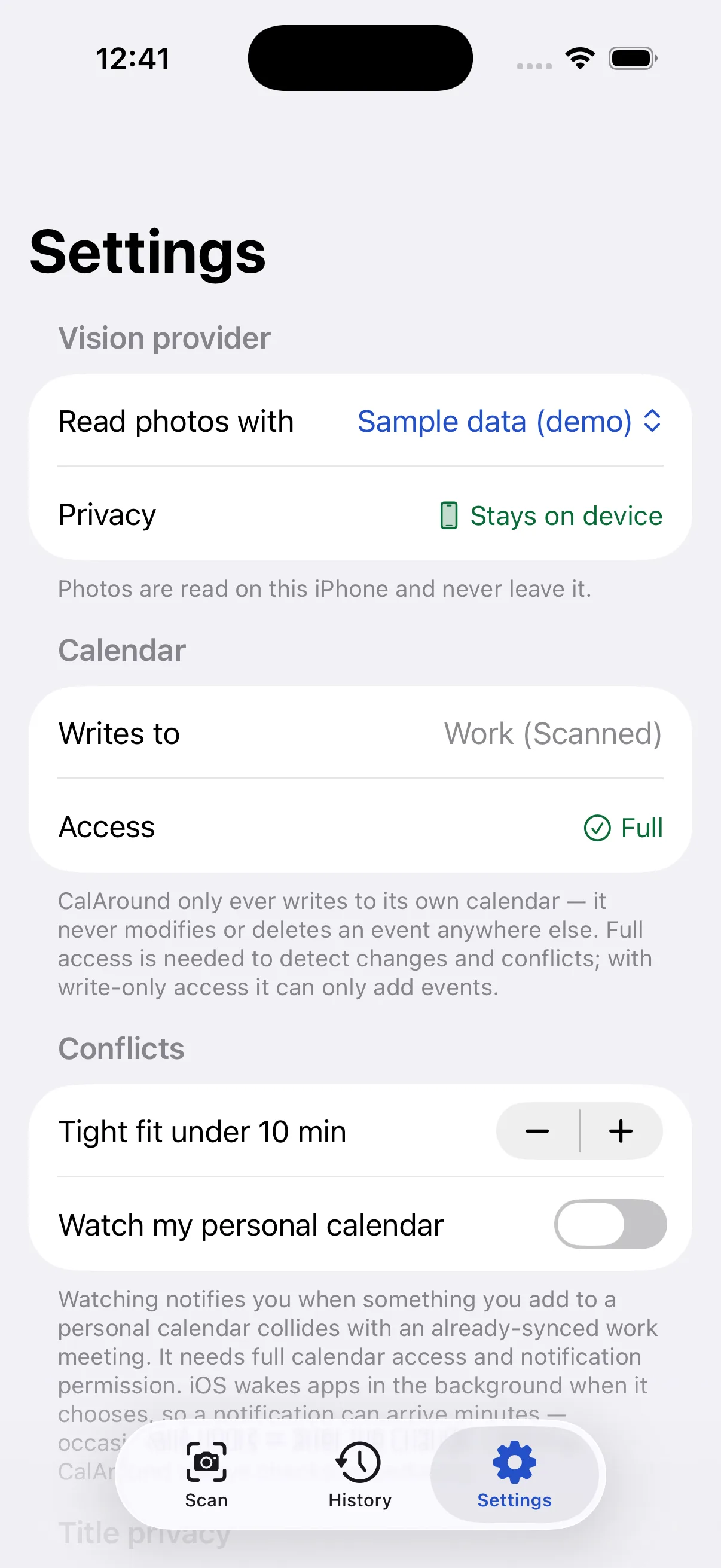
  • One calendar. The one you choose — by default Work (Scanned), which CalAround creates. It adds, moves, and removes there, and never touches an event on any other calendar. Leave it on Work (Scanned) and you can hide it, share it, or delete the whole thing in one tap.
  • One date range. Only the span the photo actually showed. A meeting one day outside it is invisible to the app — it cannot be changed or removed.
  • Every sync can be undone. History keeps your last 20 scans, and Undo this sync reverses any sync among them.
  • No account. No sign-up, no server of ours, nothing to breach. Scan history stays on your iPhone.
The History screen showing two syncs of 7–11 September — the latest added one event, moved one, and removed one — each with an Undo this sync button.

Who sees the picture

A photo of your work calendar is sensitive — it's your colleagues' names and your employer's business. So CalAround says where it goes, on the Scan screen and in Settings, every time. The full detail is on the privacy page.

Leaves your device

Claude

The photo is sent to Anthropic's API to be read, and the events come back. It is not stored by CalAround afterwards, and you supply your own API key.

The reader

Reads nothing

Sample data

A fixed demo week, so you can try the review, the week grid, and undo end to end before deciding whether to trust it with a real photo.

Available now

Three more screens worth knowing about